サクラエディタ 強調表示


サクラエディタで強調表示する方法を解説します。

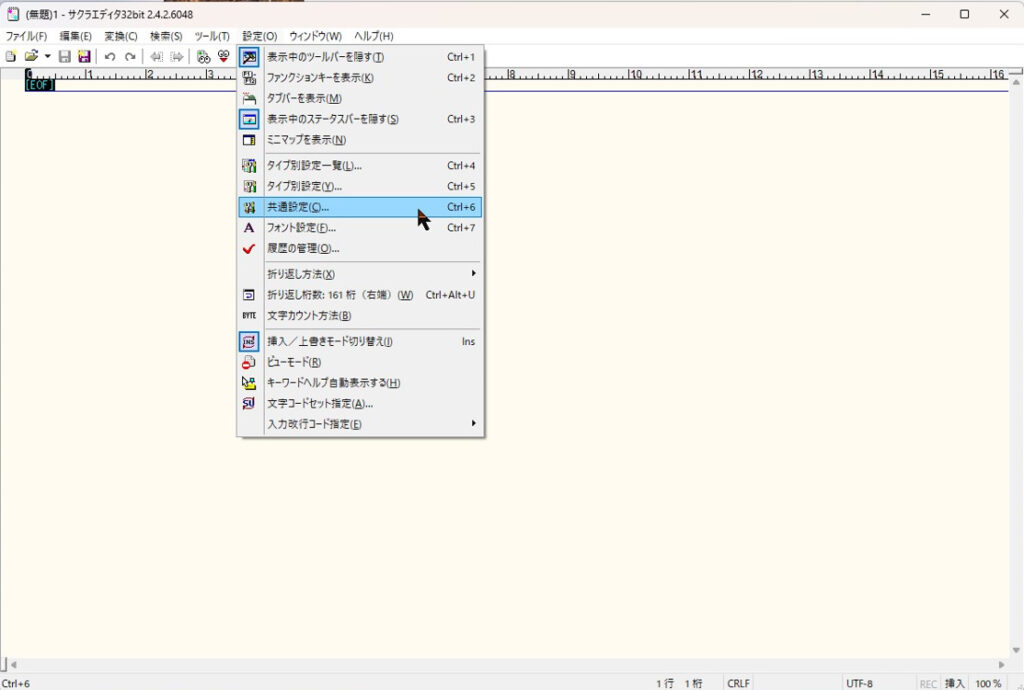
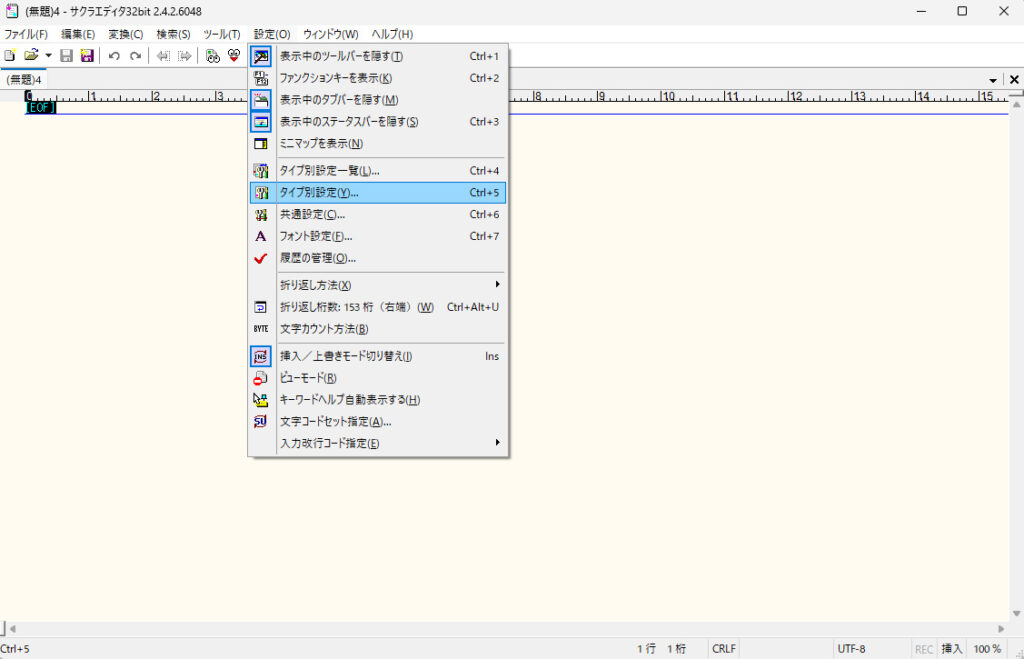
①まずは、設定メニューから、共通設定を選びます。
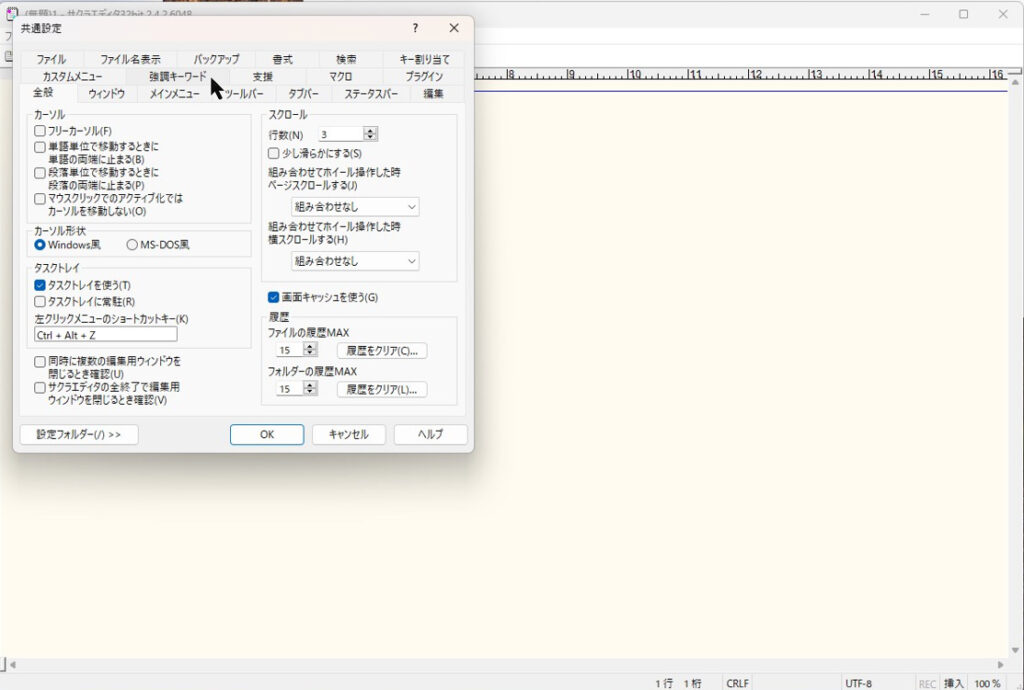
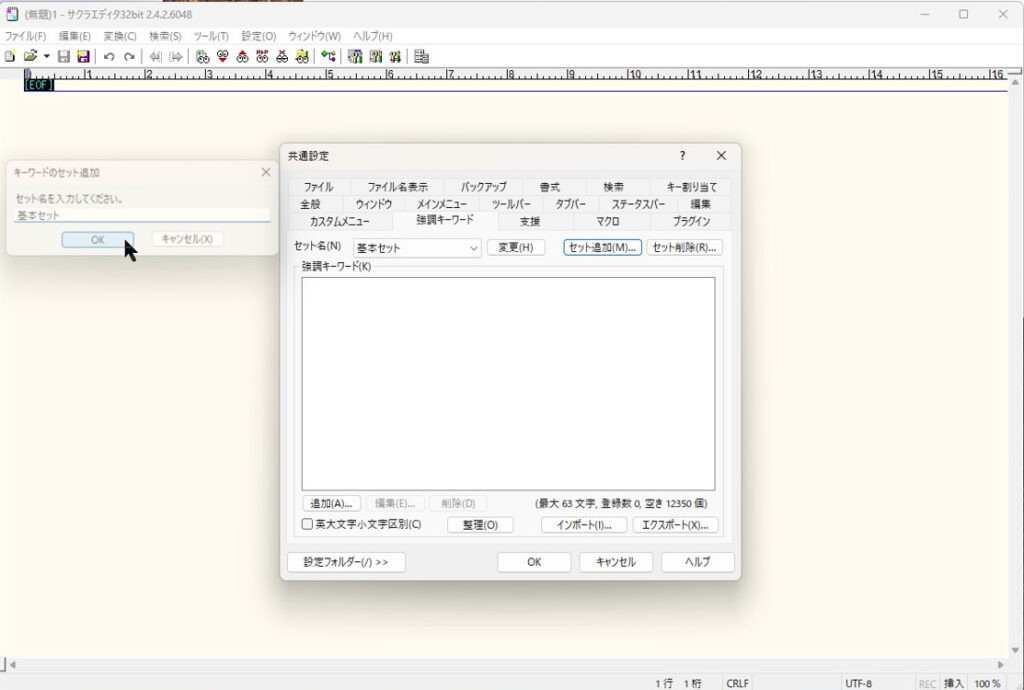
②共通設定内の強調キーワードタブを選択する
③新しいセットを追加するため、セット追加を選択する。

④セット名を任意の名前で設定する(ここでは基本セットとしている)
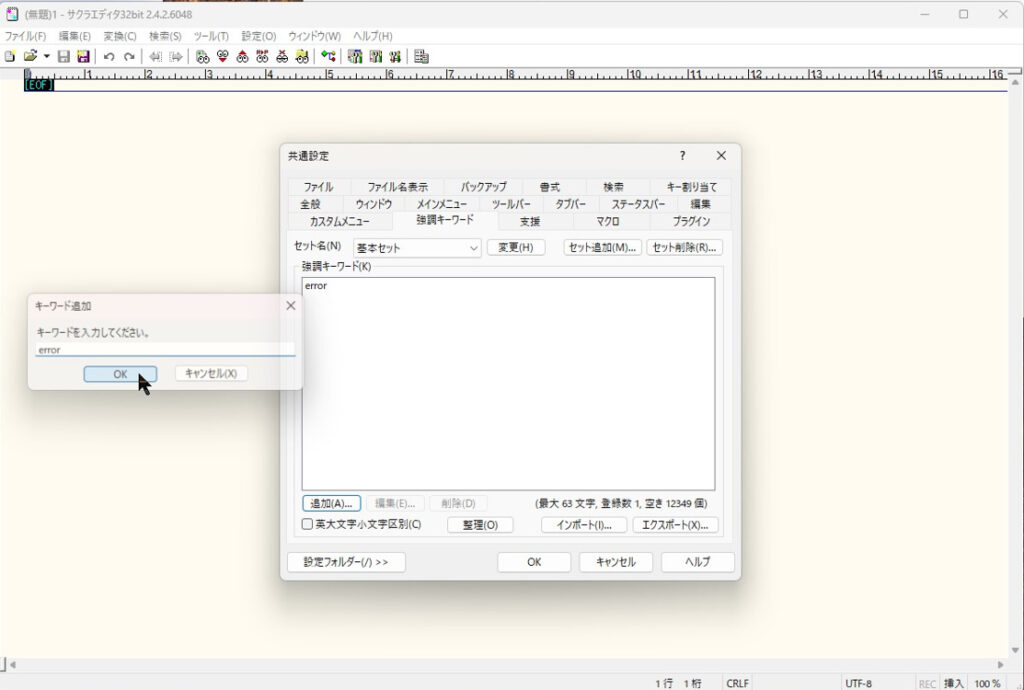
⑤左下の追加ボタンをクリックし、強調する文字を設定(ここではerrorとしている)
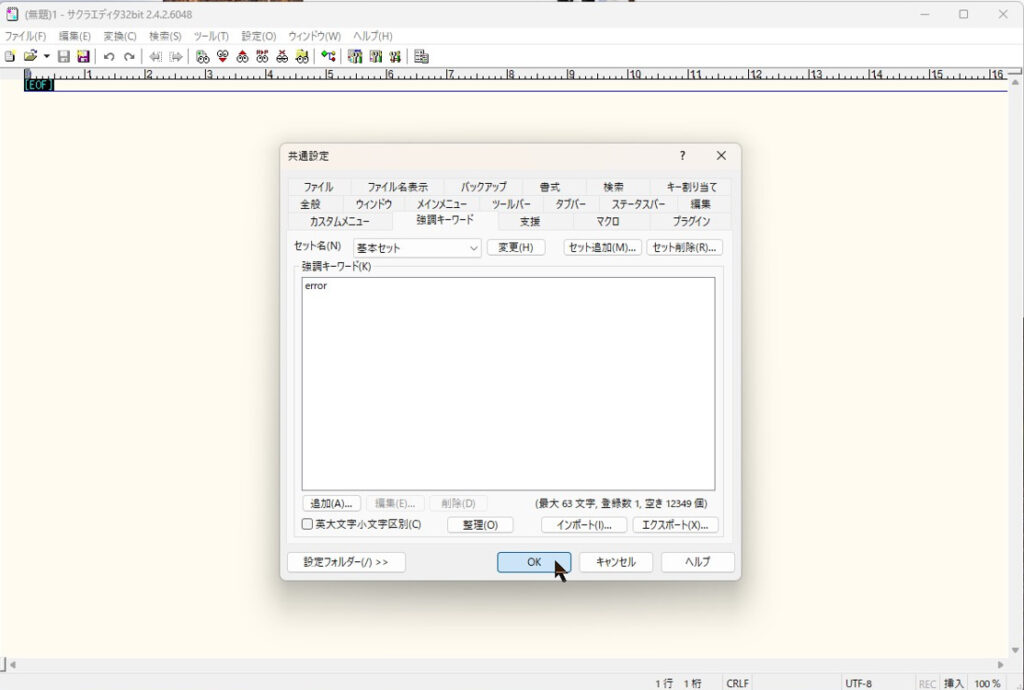
⑥OKボタンをクリックする
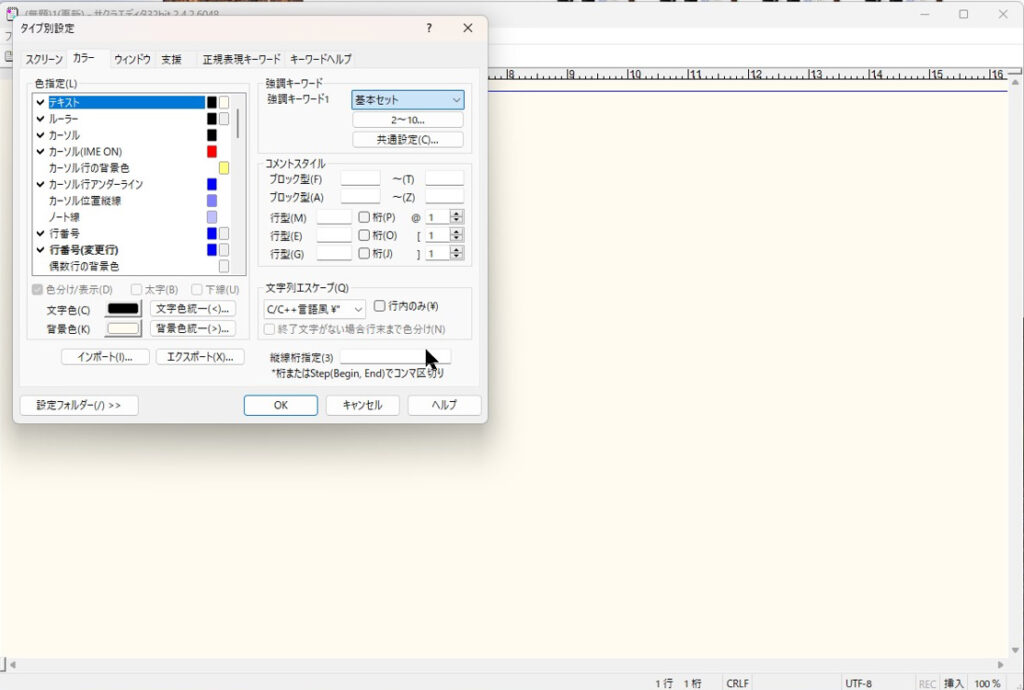
⑦次に設定メニューからタイプ別設定を選択。
カラータブを選択し、強調キーワードで先ほど指定したセット名を選択(ここでは基本セットを選択)
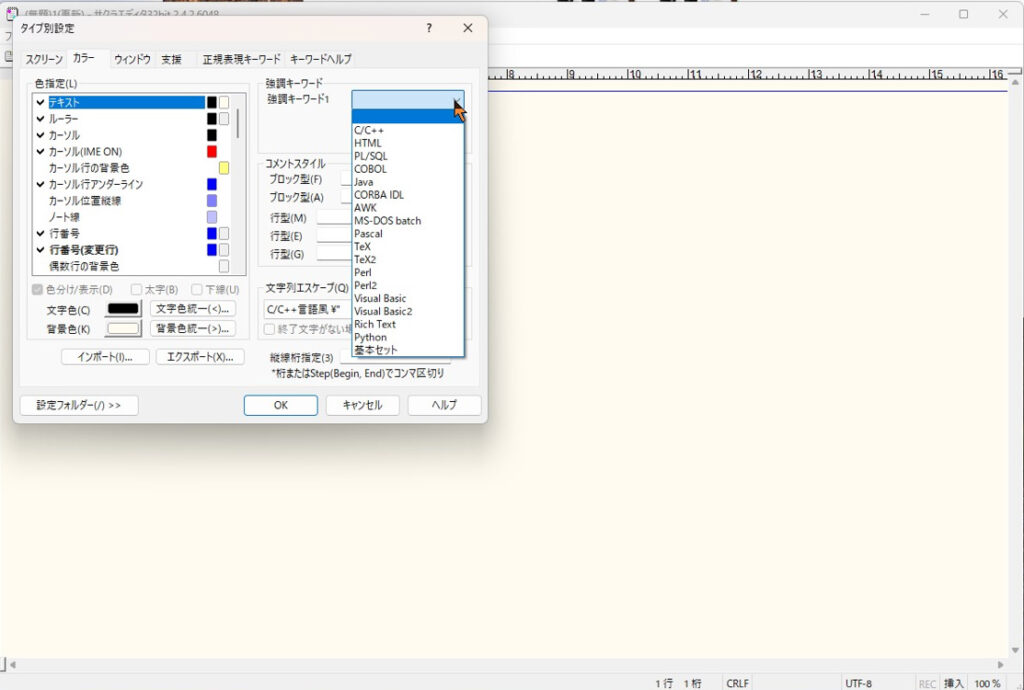
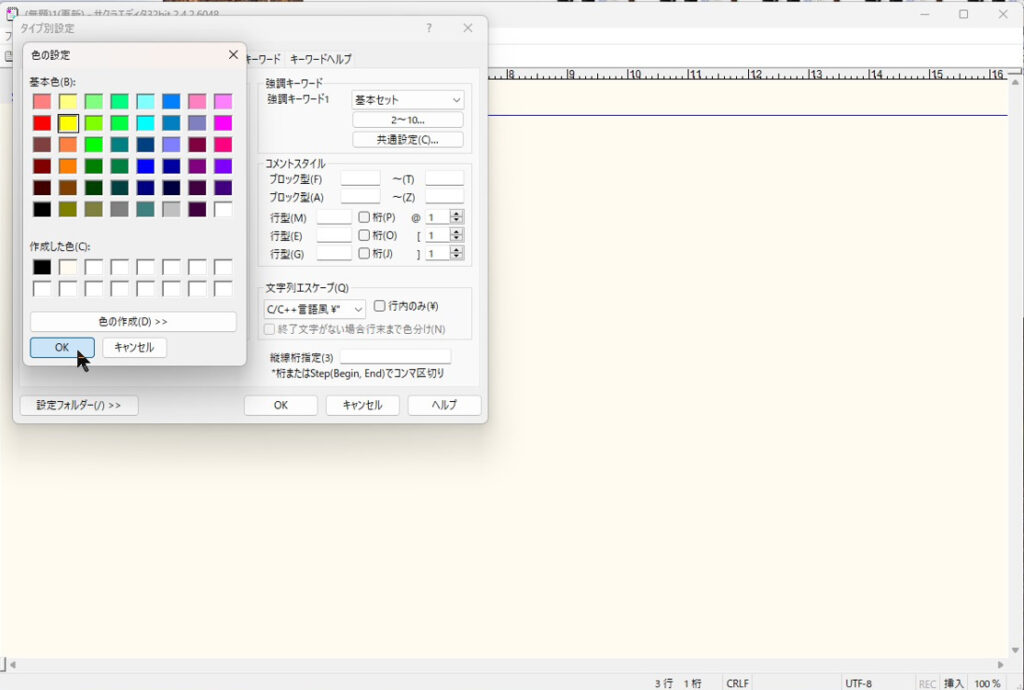
⑧強調キーワード1の文字色と背景色を選択する。
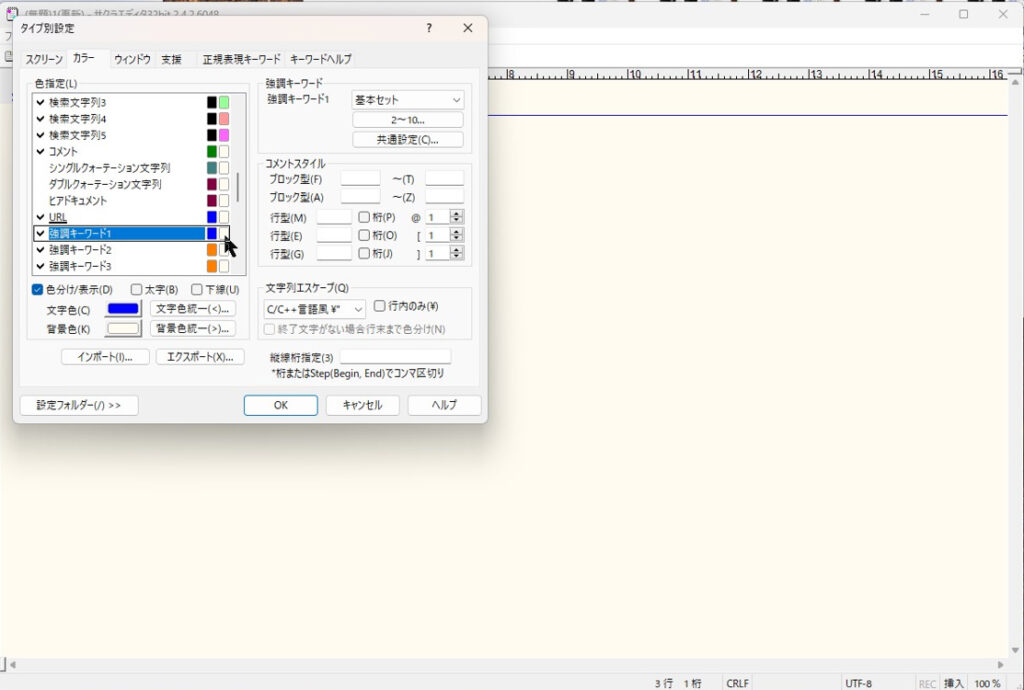
⑨最後にOKボタンを押下し、全て完了させる。
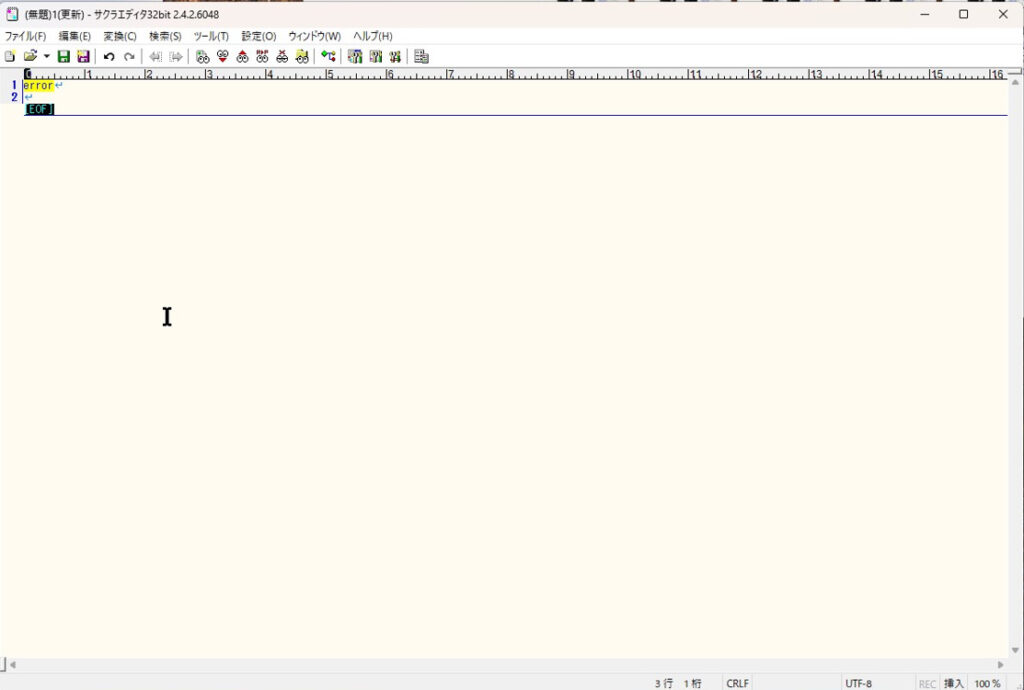
指定した文字だけ色が変わることを確認する。
This website stores cookies on your computer. These cookies are used to provide a more personalized experience and to track your whereabouts around our website in compliance with the European General Data Protection Regulation. If you decide to to opt-out of any future tracking, a cookie will be setup in your browser to remember this choice for one year.

Accept or Deny