VISIO:接続位置固定


図形のサイズを変更しても接続された位置は変わらない方法

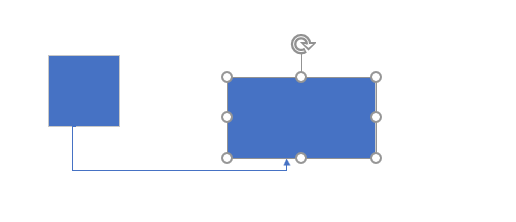
<サイズ変更前>
<サイズ変更後>
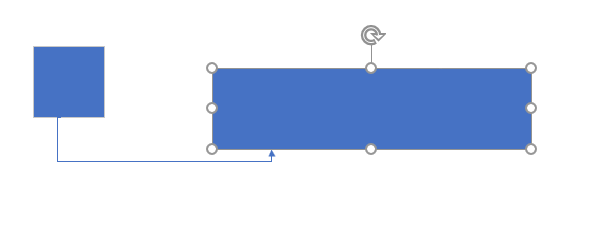
図形のサイズを変更しても接続位置が変わらない方法を説明いたします。

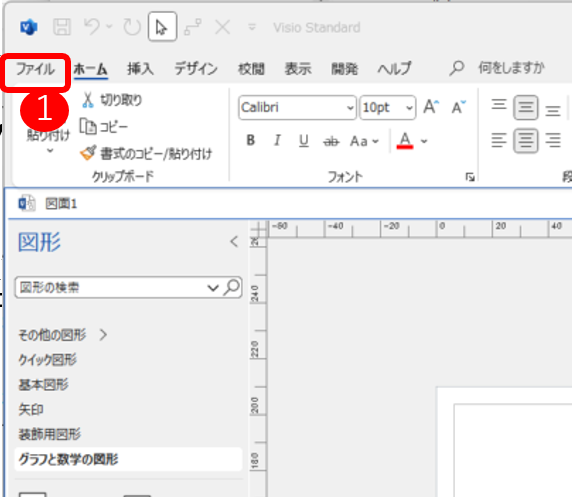
①ファイルのタブをクリック
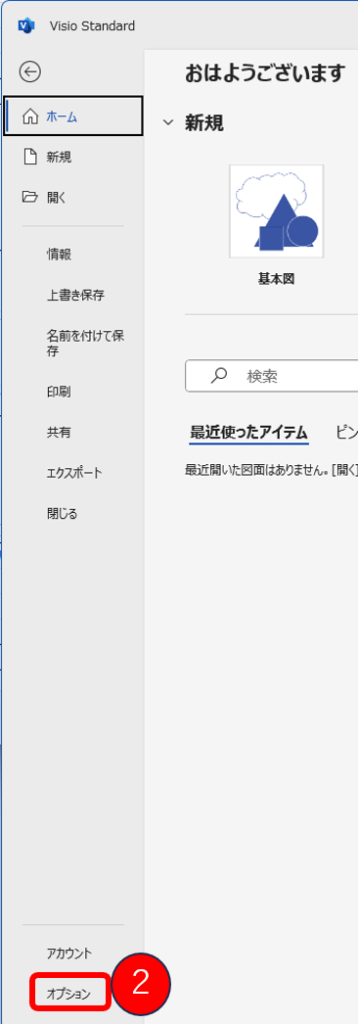
②オプションをクリック
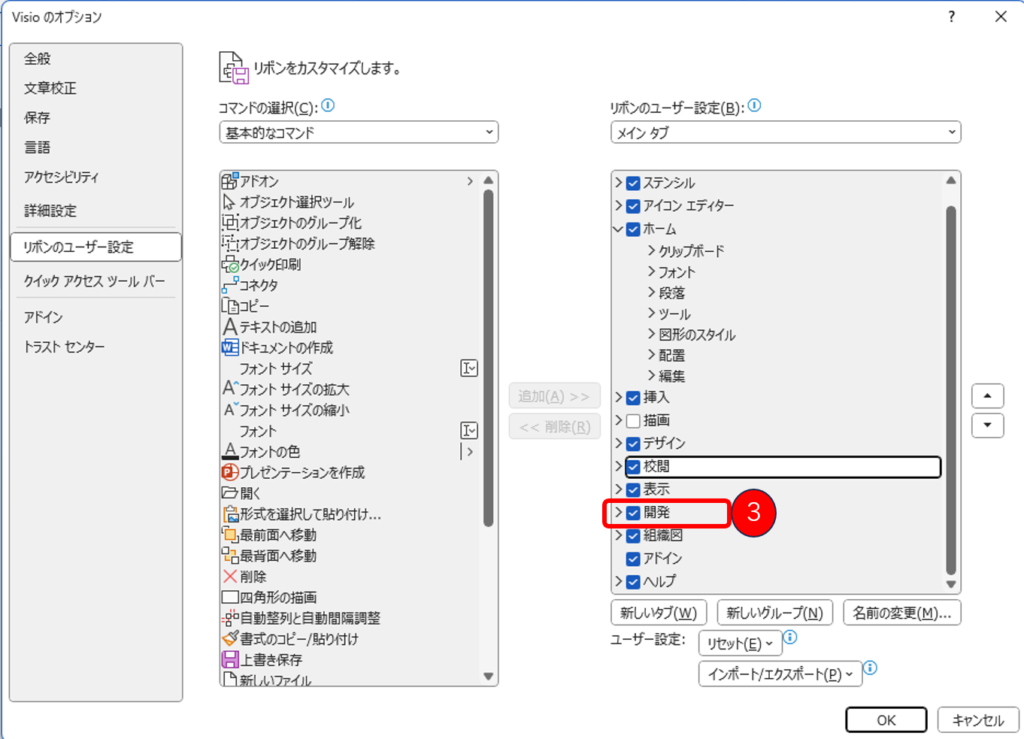
③開発にチェックを入れ、OKボタンをクリック。
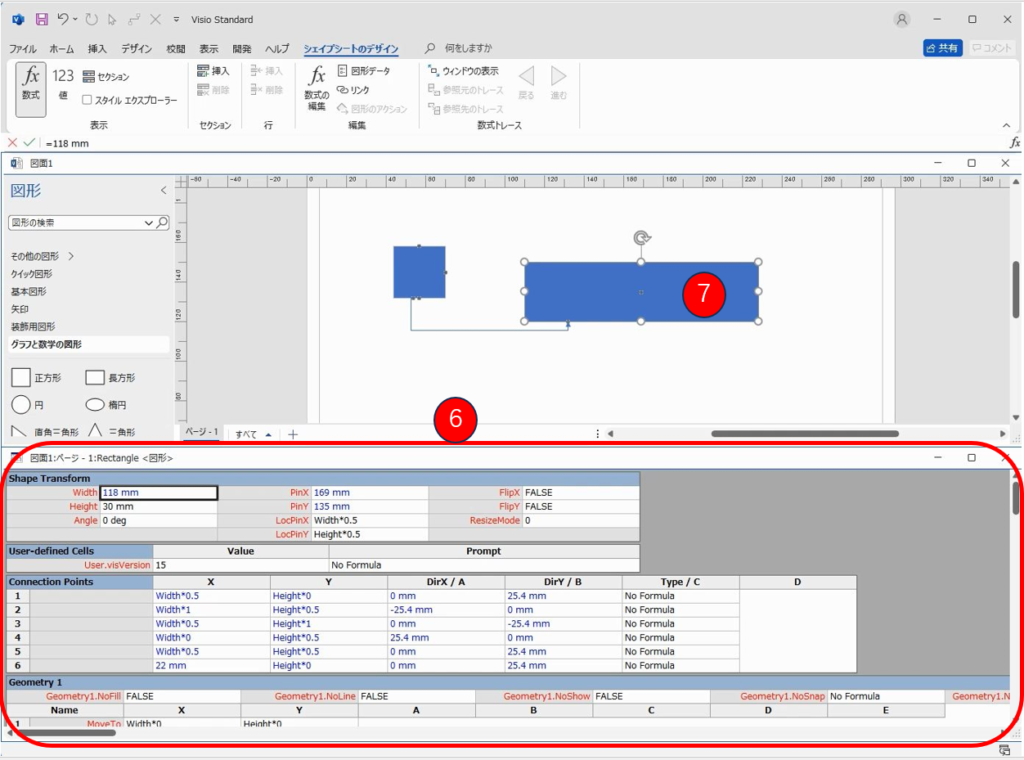
④⑤をクリックする。

⑤をクリックすると、⑥の画面が表示されるので、⑦の任意の図形をクリックする。
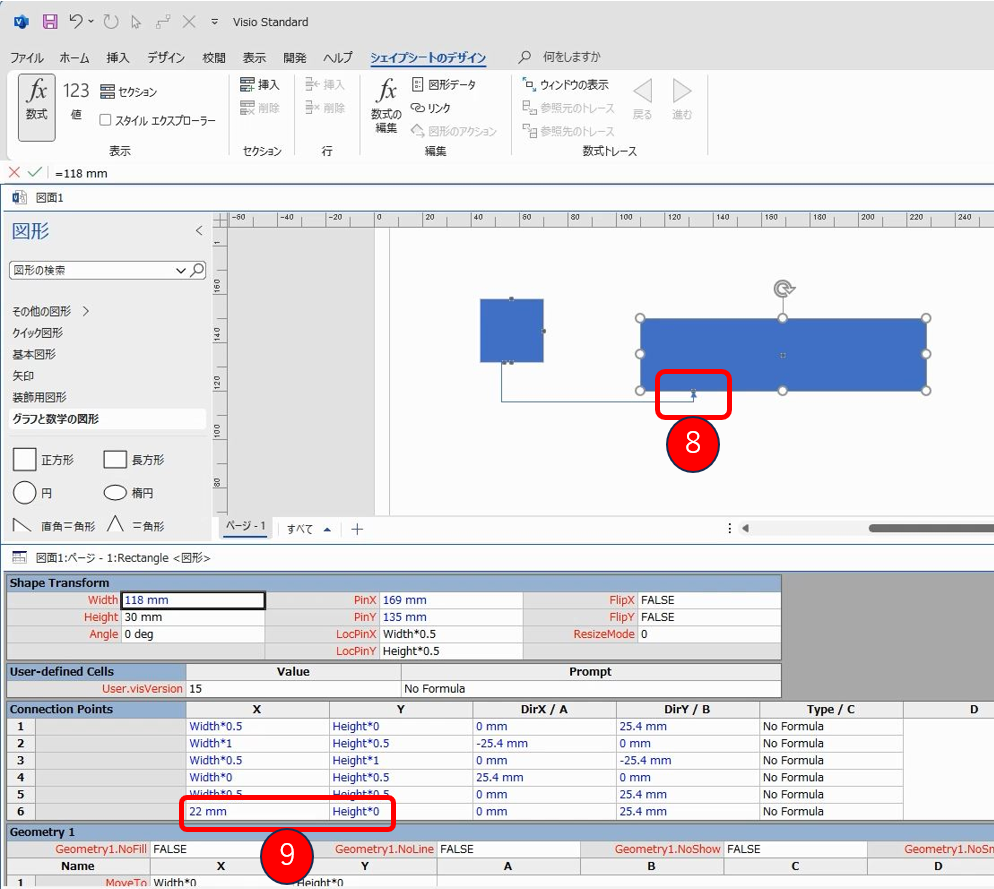
ここで⑧のコネクションポイントが⑨にあたることになる。
その為、⑨の箇所に数値を入れることで、図形をサイズ変更しても位置は変わらないことになる。
This website stores cookies on your computer. These cookies are used to provide a more personalized experience and to track your whereabouts around our website in compliance with the European General Data Protection Regulation. If you decide to to opt-out of any future tracking, a cookie will be setup in your browser to remember this choice for one year.

Accept or Deny